Wulf Mods Recon Pro Dual 510 Voltage Battery
Wulf ModsWulf Mods
3.0

Wulf Mods Recon Pro Dual 510 Voltage Battery

USD 34.99

Description

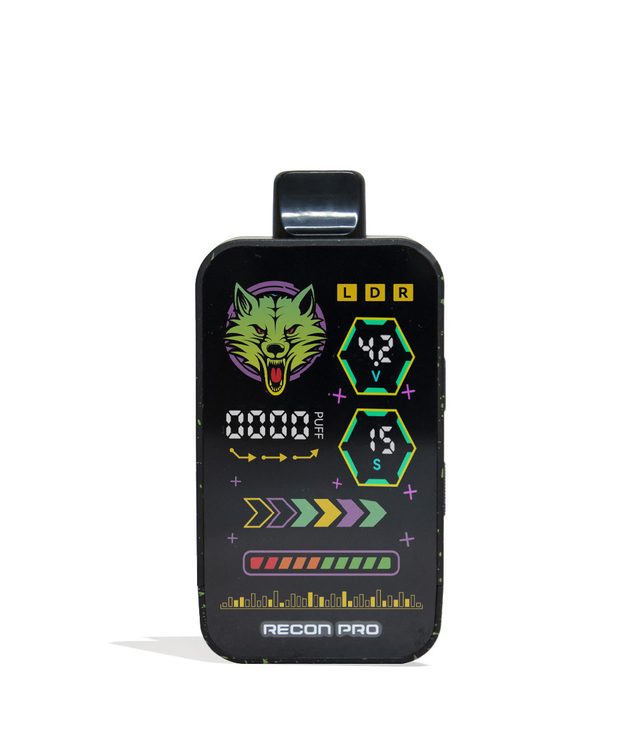
Twice The Cartridge Ferocity Get your Pack howling with our Wulf Mods Recon Pro Dual 510 Voltage Battery! These ferocious cloud rippers come with not one, but two distinct fully concealed 510 threaded connections, each able to handle cartridges up to 2G in size (4G in total!). Change between your cartridges or hit them at the same time, with the easy to use side switch, for more cloud combinations than ever before! Experience sessions as long lasting, as they are versatile with a choice of 6 temperature settings (1.8, 2.2, 2.7, 3.2, 3.7,4.2v), a highly capable 650mAh battery, and extended 15s preheat functionality with 2 different voltage levels (1.8v and 3.2v). For further customization, the Recon Pro Dual features a new airflow slider that gives you the power to further control your cloud consistency. View all of your settings including voltage, battery level, puff counter easily thanks to the vivid full color screen, covering the entire front face of the Recon Pro Dual. For extra protection and easy carrying, the Recon Dual Pro was crafted from light weight drop resistant materials. The Recon Pro Dual 510 Voltage Battery is available now in a choice of 9 gorgeous finishes including a classic white-red spatter and flowing full color. Loading The Recon Pro Dual 510 Voltage Battery Begin your hunt for the fiercest clouds, by first dipping into your collection of 510 threaded cartridges and selecting up to 2 of your favorites. From here remove the magnetic bottom from your device and gently twist your cartridges into the threaded connection ports. Once attached, you can replace the bottom of your Recon Pro Dual and get to vaping. Using Your Recon Pro Dual 510 Voltage Battery Power on your Recon Pro Dual 510 Voltage Battery by pressing the power button 5 x in quick succession. If correctly input, you’ll notice the ferocious Wulf Mods logo spring to life, as the rest of your full color screen follows suit. From here, all you have to do is hold down the power button and draw from the mouthpiece to start enjoying the most luscious of clouds. Once your session has concluded, press the power button 5 x in a row to turn off your device. Adjusting Recon Pro Dual 510 Voltage Battery Temperature To alternate between the 6 different temperature settings, press the power button 3 x in a row and watch as the voltage switches to the next in line. Pre-Heating Your Recon Pro Dual 510 Voltage Battery For an extra powerful cloud, press the power button 2 x in a row to activate your preheat function. When correctly input, your screen will display a 15s count down to let you know when your battery is ready to use. Once the countdown finishes, you can use your recon Pro Dual as normal for a fiery blast of vapor. To switch your Recon Pro into ultimate pre-heat mode, first press the power button 2x to activate the pre-heat countdown, before immediately pressing the power button a further 2x. This will kick things into high gear and switch you from 1.8v to 3.2v for an even stronger pre-heat experience. How To Charge The Recon Pro Dual Voltage Battery When your Recon Pro Dual 510 Voltage Battery is correctly plugged in, your screen will display a loading bar to represent its progress. When completely filled, the screen will cease flashing to let you know. The first time you charge your Recon Pro Dual 510 Voltage Battery, leave it connected for a full 2 hours. Every time after that, never leave your battery plugged in for longer than 1 hour at a time, to avoid any battery issues. Troubleshooting Recon Pro Dual 510 Voltage Battery Keep your sessions rolling smoothly, by being aware of the following troubleshooting warnings that can be displayed on your Recon Pro Dual 510 Voltage Battery. Overtime Warning: If you hold down the power button for longer than 15s, your screen will flash 5 x to indicate an overtime warning. Auto Shut Off Warning: After 8 minutes of nonuse, your device will power off to maintain battery capacity. Puff Counter Reset: Should you wish to reset your puff counter back to zero, press the power button 4x in a row. How To Clean the Recon Pro Dual 510 Voltage Batter Clean your Recon Pro Dual 510 Voltage Battery by first powering down your device and removing the magnetic bottom. From here make use of a q-tip dampened with isopropyl alcohol to clean off both the 510 threaded connections and the mouthpiece. Always make sure to leave enough time for your device to dry before using it again. What’s Included: (1) Wulf Mods Recon Pro Dual 510 Voltage Battery WARNING: Do not charge with a powerbank of 5V or higher. Do not charge in your car. Do not overcharge the battery. Failure to follow these instructions could result in battery damage and frying of the internal system.

Wulf Mods deal

You could save on Wulf Mods Wulf Mods Recon Pro Dual 510 Voltage Battery with a Wulf Mods promo code:

    Wulf Mods logo

    20% off

    24 uses
    low

    worked over 4 years ago

    20% Off Storewide at Wulf Mods
View all Wulf Mods coupons and promo codes

More Wulf Mods Products

Wulf Mods LUX Cartridge Vaporizer

Wulf Mods LUX Cartridge Vaporizer

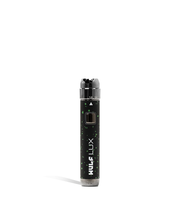
Luxury Clouds From The LUX Let loose the lusciously luxurious clouds of your dreams with the power of the Wulf Mods LUX Cartridge Vaporizer! For all of your 510 cartridge sessions, the LUX is here to provide a 400mAh battery, 10 second preheat function, and lightning fast 30 min charging via USB-C. Separating the LUX from the pack however, is the fact it has a unique dial system around its head that allows you to adjust your voltage from 1.8 - 4.2v for the easiest of temperature adjustments. Take a look at the 9 available color options including some spatter favorites like white-red, purple-black, and green-black! Loading A Cartridge Into The LUX To load your LUX all you have to do is select a compatible 510 threaded cartridge and gently twist it into the top port of the device. Using Your LUX To power on your LUX press the power button 5 times in a row, when successfully done the LED will flash green five times to let you know it's time for clouds. To draw from the LUX just inhale from the mouthpiece and hold down the power button simultaneously. Make sure to start small, the LUX is a potent pen. When things are wrapped, press the LUX’s power button 5 times to power it down. Adjusting The LUX’s Temperature To switch between the range of voltages the LUX has a unique dial system located right at the top and just underneath your cartridge. This spinning dial has an arrow to let you know what value you are at and has numbers denoting 5 temperature ranges with 1.8, 2.4, 3.0, 3.6, and 4.2v. Either turn the dial up or down to increase or decrease the temperature with ease! Pre-Heating Your LUX For an extra fierce hit, activate the preheat function by tapping the power button twice (2x) to begin the 10s countdown where your cartridge is slowly warmed for you. Once the countdown concludes, take a hit from your LUX as normal and get ready for boosted intensity and an absolutely fiery experience! How To Charge The LUX To charge the LUX make use of the USB-C port located on the bottom of the device. The first time you charge your LUX make sure to leave it plugged in for 2 hours, every time after that only ever charge it for 1 hour at a time. This will help preserve battery life and ensure your safety. Troubleshooting Your LUX Auto Shut Off Warning - If you hold the power button down for longer than 15s, your LUX lights will flash 8 times in a row and power down to protect your session. No Cartridge Warning - If your cartridge is not detected, the LUX will flash its LEDs 5 times in a row to let you know something is wrong. Short Circuit Warning - Should the Kodo flash 3 times and shut off, this is an indication your Kodo is experiencing a short circuit. Leave the LUX off and do not attempt to use it subsides. Low Battery Warning - When you have a low battery, the LED will flash 10 times and power off. This is to let you know it needs to recharge. How To Clean the LUX To clean your LUX first remove your cartridge and then proceed to wipe down the body of the device with a damp sanitary cloth or wipe. For the threaded 510 port on top, we recommend using a q-tip or swab lightly damped with isopropyl alcohol to achieve the best results. What’s Included: (1) Wulf Mods LUX Cartridge Vaporizer WARNING: Do not charge with a powerbank of 5V or higher. Do not charge in your car. Do not overcharge or use any other charging cable other than what comes with your battery. Failure to follow these instructions could result in battery damage and frying of the internal system.

USD 21.99

Wulf Mods LX Vaporizer Replacement Mouthpiece

Wulf Mods LX Vaporizer Replacement Mouthpiece

LX Quality If you own Wulf Vape LX then you already know how versatile this dry vaporizer is. Compact and portable, the Wulf Vape LX is constructed from fine ceramics and features a digital temperature control that will help you vape dry herbs to perfection each and every time. If the time comes to replace your Wulf Vape LX Vaporizer Mouthpiece by Wulf Mods, don't despair. You can easily obtain a replacement mouthpiece from Wulf Mods and be vaping dry herbs to the utmost again in no time flat. Because the Wulf Vape LX has become such a popular model, we want to be sure you're able to quickly obtain any components you require. The vaporizer is so well made, however, you can trust us when we tell you that replacements won't be needed as often as you might think. It is made to withstand being taken with you everywhere you go, but even the most durable vaporizers sometimes need a facelift. Your mouthpiece is one of the most important elements in your vaporizer. Keeping it in good working order is a must, and we make it affordable with the Wulf Vape LX Vaporizer Mouthpiece by Wulf Mods. You don't have to settle for a bitter and burnt taste. You see, at Wulf Mods we don't just build great vaporizers and sell premium mods and tanks. Were an end-to-end, one-stop solution for all of your vaping needs. If you are looking into an RDA and are interested in your own builds, we have you covered. Are you a beginner and looking for an entry-level vaporizer? We can hook you up. It doesn't matter what your level of vaping experience is, Wulf Mods is here to help you enjoy your passion to the fullest as you explore all that the vaping lifestyle has to offer. At our headquarters in California, experts work hard to stay on top of all the latest developments in the world of vaping. When something new happens, we know about it. Then, we work to take existing concepts and make them even better. The overall pride of Wulf Mods has never been on more prominent display than it is in the Wulf Vape LX. Frankly, we don't think there is a better way out there to vape dry herbs. It bakes the herb and delivers rich vapor through a slow combustion process. One hit and you'll find out why Wulf Mods is consistently given the highest rankings and reviews by members of the vaping community. While you are picking up a Wulf Vape LX Vaporizer Mouthpiece by Wulf Mods, it might also be a great time to explore the vast selection of other items we offer. Premium vapes, mods, tanks, are all in our inventory and waiting to be shipped to your door without delay. We also are happy to address any questions or concerns that you may have about any of the products you receive. As always, we love getting your positive reviews on the Wulf Vape LX Vaporizer Mouthpiece and other products you may have tried. WARNING: DO NOT REMOVE OR ATTEMPT TO REMOVE THE MOUTHPIECE WHILE UNIT IS STILL HOT. DOING SO MAY CAUSE THE MOUTHPIECE TO BREAK OR CRACK.

USD 9.99

Wulf Mods Evolve Maxxx 3 in 1 Kit

Wulf Mods Evolve Maxxx 3 in 1 Kit

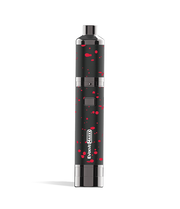
Shop Wulf Mods Evolve Maxxx 3 in 1 Kits online at Wulf Mods. Take advantage of our premium craftsmanship and inexpensive pricing.

USD 53.89

Wulf Mods RAZR Nectar Collector and Hot Knife

Wulf Mods RAZR Nectar Collector and Hot Knife

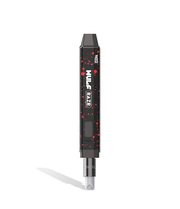
The Perfect Duo The Wulf Mods RAZR Nectar Collector and Hot Knife are the perfect duos for heating and vaporizing wax concentrates. The RAZR is a 2-in-1 device with two modes: Nectar Collector and Hot Knife. The Nectar Collector Mode, which, like a bumblebee, collects resin using its nectar to straw out the wax. The Hot Knife Mode lets you quickly gather solid concentrates for your dab session. Each mode has a magnetic tip that easily connects to the RAZR device. The RAZR features its main power button, an indicator light for vital information, and a charging port to insert the included Type-C cable. Once your RAZR is in hand, the device is shown with a magnetic cap used for protection. Once you remove the magnetic cap, you will see the attached magnetic nectar tip. To switch the nectar tip with the hot knife tip, gently pull the nectar tip outwards and connect the magnetic hot knife tip. The indicator light will stay on for one full second to know if you have connected the attachment correctly. To start using the RAZR, press the power button 5X (If you want to turn your device off, press the button 5X as well). Next, if you desire to change the temperature, press the button 3X—you are given two voltage settings (3.3V-White and 3.7V-Green). After choosing your desired temperature, press the button 2X to activate the 15-second preheating function. Hold the power button to warm the knife tip when trying out the Hot Knife Mode. While holding down the button, cut your wax concentrates to your desired amount. After, hold the power button to heat the wax and simply slide the concentrates into your glass piece or smoking device. When using the Nectar Collector Mode, press the button 3X to raise the voltage to your desired level. Then, press the button again twice to initiate the 15-second preheat function. Once the nectar tip has warmed up, press the tip against wax concentrates and gently inhale through the mouthpiece. To clean, press down on the main button to warm and wipe areas that need to be cleaned with an alcoholic wipe or cloth. When first opened from the package, the RAZR must be charged for two hours ultimately. After the first charge, you need to charge the device for no more than 1 hour. When the RAZR’s battery is fully charged, its LED light indicator will be turned off. The RAZR also features troubleshooting that lets you know your device’s status. Your device will have red flashing lights to notify you of specific issues—10X for low battery, 5X for short circuits, and 3X for no atomizer. If you have questions or comments regarding the Wulf Mods RAZR Nectar Collector and Hot Knife, please don't hesitate to contact our customer care team and look through our homepage WulfMods.com. We provide a wide selection of vaporizers and accessories to fulfill your vaporizing needs! What’s Included: (1) Wulf RAZR (1) Nectar Tip (1) Knife Tip (1) Cleaning Brush (1) Type-C Cable (1) User Manual WARNING: Do not charge with a power bank of 5V or higher. Do not charge in your car. Do not overcharge or use any other charging cable other than what comes with your battery. Failure to follow these instructions could result in battery damage and frying of the internal system.

USD 49.99

You May Also Like