 True Image
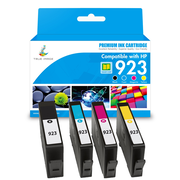
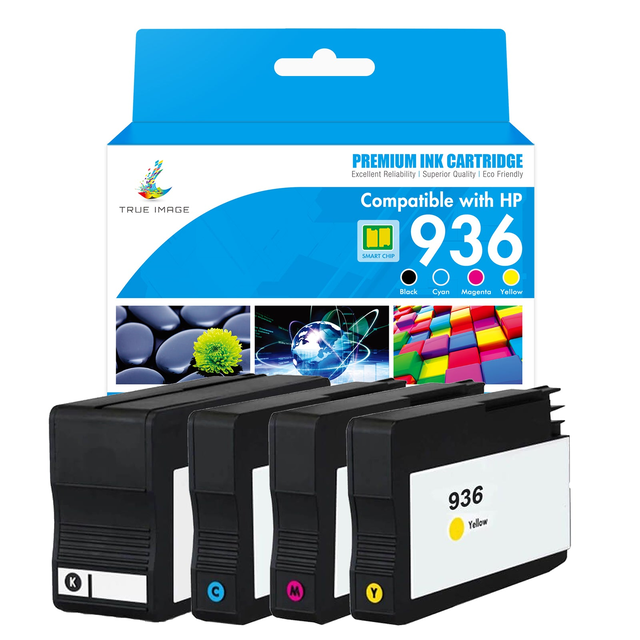
HP OfficeJet Pro 9120e Ink - Compatible HP 936 936e XL Ink Cartridges
USD 69.80
Description
Upgrade your printing experience with our compatible HP OfficeJet Pro 9120e ink cartridge replacement 4 packs (black, cyan, magenta, yellow). These cartridges are designed to deliver clear text and vibrant colors, making them perfect for business documents and everyday printing needs. Our alternatives support standard yield HP 936 cartridges and high yield HP 936e cartridges, giving you the flexibility to choose according to your print volume. This cartridge comes with an upgraded chip that seamlessly integrates with your HP printer to produce quality prints. Buy now and enjoy a high-quality print experience at a low price. Why Choose Our Compatible HP OfficeJet Pro 9120e Ink Replacements? High quality printing: The compatible HP OfficeJet Pro 9120e ink cartridges we offer each go through rigorous testing to ensure they meet or even exceed the standards set by the original cartridges. From the durability of the cartridge housing to the precision of the ink delivery system, every aspect is carefully examined. You can count on us for high-quality printing with these ink substitutes that all deliver consistent and reliable results comparable to the original HP cartridges. Affordable Alternative: Our compatible HP OfficeJet Pro 9120e ink cartridges are priced significantly lower than original HP cartridges, allowing you to significantly cut printing costs without sacrificing any quality. Whether you're a small business owner looking to reduce office expenses or a home user on a budget, our cartridges offer a cost-effective solution without compromising performance. Seamless Compatibility & Easy Installation: Our cartridges are engineered to work seamlessly with the HP OfficeJet Pro 9110, 9110b, 9120, 9120b, 9120e, 9130, 9130b, 9130e, 9135e, 9730 and 9730e printers, ensuring a hassle-free installation process. Each cartridge snaps securely into place, preventing leaks and errors. Simply insert the HP OfficeJet Pro 9120e cartridge, and your printer will recognize it instantly, allowing you to resume printing without delays. NOTE: Due to HP restrictions, compatible 923/923e inks cannot be used in HP+ (e) printers that have been activated with HP+ services. Please contact us if you have any questions about compatibility. 100% Satisfaction Guarantee: We support the quality and reliability of compatible HP OfficeJet 9120e cartridges. Each cartridge meets or exceeds industry standards with the same quality and performance as original cartridges. We offer a 2-year product warranty and a 30-day money-back guarantee on all compatible cartridges. In addition, our dedicated customer support team is ready to assist with any enquiries, ensuring a smooth and hassle-free experience. Frequently Asked Questions About Ink for HP OfficeJet Pro 9120e Replacements What if I’m subscribed to HP Instant Ink? If you are enrolled in HP Instant Ink, you won’t be able to use our compatible cartridges, as HP locks the printer to only accept their subscription ink. However, if you opt-out of HP Instant Ink, you can freely use our compatible ink replacements and save money in the long run. What is the difference between HP 936 and HP 936e cartridges? The main difference is their page yield. The standard capacity HP 936 cartridge is suitable for users with moderate printing needs. The HP 936 black ink can print about 1,250 pages, while cyan, magenta, and yellow (C/M/Y) cartridges can each print about 800 pages. In contrast, the high-volume HP 936e cartridges are designed for high-volume printing. The HP 936e black can produce up to 2,500 pages, while the C/M/Y cartridges can handle about 1,650 pages each. If you print frequently, the HP 936e cartridge will be a better fit. You don't have to replace them frequently, which gives you greater convenience. There may also be long-term cost savings because you don't have to buy cartridges as often. How do I install the HP OfficeJet Pro 9120e ink cartridges? Here's a step-by-step guide to installing ink cartridges in your HP OfficeJet Pro 9120e: Step 1: Prepare the Printer Turn on the printer and wait for it to idle (lights stop flashing). Open the front access door to expose the cartridge carriage. The carriage will automatically move to the center. Step 2: Remove Old Cartridges Press down gently on the old cartridge to release it, then pull it out. Dispose of old cartridges properly. Step 3: Install New Cartridges Unpack the new cartridge: Remove all protective tapes and plastic wraps. Avoid touching the copper contacts or ink nozzles (this can cause clogs or connectivity issues). Insert the cartridge: Match the cartridge color to the labeled slot. Slide the cartridge into its slot until it clicks into place. Step 4: Finalize Installation Close the front access door. The printer will automatically start priming the cartridges (this may take 1–2 minutes). Do not interrupt this process. If prompted on the printer screen or computer, follow instructions to align the cartridges. Compatible HP OfficeJet Pro 9120e Ink Cartridge Specifications Product Brand True Image OEM Number HP 936/HP 936e Product Capacity Standard Yield/High Yield Shelf Life 18-24 Months Page Yield HP 936 - K: 1250, C/M/Y: 800 HP 936e - K: 2500, C/M/Y: 1650
Get a discount on HP OfficeJet Pro 9120e Ink - Compatible HP 936 936e XL Ink Cartridges
You could save on True Image HP OfficeJet Pro 9120e Ink - Compatible HP 936 936e XL Ink Cartridges with a True Image promo code:

20% off
worked 4 months ago