thinkEDU Promo Codes and Coupons December 2025

thinkEDU logo

thinkEDU

ThinkEdu.com is an online educational marketplace specializing in academic software, textbooks, and digital learning resources. The platform partners with major educational publishers and software companies to provide discounted rates for students, teachers, and educational institutions.

thinkedu.com

Today's thinkEDU discount codes

TOP PICK
thinkEDU logo

Free Shipping

25 uses
high

worked about 1 month ago

Free Shipping On Iphone Accesories at thinkEDU
thinkEDU logo

3% off

50 uses
high

worked about 1 month ago

3% Off Storewide at thinkEDU
thinkEDU logo

$5 off

1 uses
medium

worked 8 months ago

Get $5 off with coupon code on $10+ orders
thinkEDU logo

15% off

7 uses
medium

worked 7 months ago

Score 15% off with code

Featured thinkEDU Products

Parallels Desktop for Mac Student | Faculty License 1-Year Subscription (Download)

Parallels Desktop for Mac Student | Faculty License 1-Year Subscription (Download)

Run thousands of Windows apps like Microsoft Office, Internet Explorer, Access, Quicken, QuickBooks, Visual Studio, even graphic intensive games and CAD programs without compromising on performance or rebooting. Whether you need to run Windows programs that don’t have Mac versions, or you are making the switch from PC to Mac and need to transfer your data, Parallels Desktop has you covered. Optimized for Windows 11 and macOS Monterey, Parallels Desktop continues to stay up to date so you can keep working without interruption—even when a new macOS, Windows or Linux release pops up. Features include: Do More Than EverImproved Drag-and-Drop enables you to easily drop text and images into macOS Monterey Quick Note from Windows applications. Easily install macOS Monterey onto a virtual machine via Parallels Desktop Installation Assistant. Support for Mac OS MontereyParallels Desktop supports macOS Monterey, macOS Big Sur 11, macOS Catalina 10.15, macOS Mojave 10.14 and macOS High Sierra 10.13. Reinvented for Apple M1 and Intel-Based Mac DevicesParallels Desktop for Mac has been rebuilt and optimized to natively run on Apple M1 and Intel based Mac devices, improving speed and performance. Powerful New Features for Apple M1 Mac: Windows 10 Battery Status: Windows 10 now recognizes Battery Status and enables Battery Saving when your Mac runs out of charge, so you can stay on longer. Windows 10 Performance: Much faster Windows 10 disk performance makes the Windows experience even smoother. Windows 10 Security: The new virtual TPM chip enables Windows 10 and Windows 11 to use BitLocker and Secure Boot for the higher level of data protection. You can even connect a USB fingerprint reader to work with Windows Hello. Linux Sound Support: Linux users can now enjoy multichannel sound support and jack presence detection with native drivers. Linux Dynamic Resolution: Desktop with dynamic resolution support—resize the VM window and Linux will refresh the display for new resolution automatically. Enhanced Desktop, Video & Gaming ExperienceImproved display driver in Parallels Desktop delivers much smoother Windows UI responsiveness and synchronized video playback. In addition to performance improvements, the new driver boosts frame rate in many Windows games for a greater gaming experience and provides better synchronization with the Mac display. Enhanced Expierence in Coherence ModeSeamless end-to-end user experience with fewer distracting changes in appearance during Windows sign in, shut down, and software updates. Seamlessly Drag and Drop Content Between Apps & OSsDrag and drop text or graphics between Mac and Windows applications, quickly and easily. On macOS Monterey, drag and drop any content from Windows apps to Quick Note as easily as from macOS apps. Enhanced USB SupportSupport for USB 3.1 devices facilitates the connection of more super-speed storages, including Samsung T7 Touch, Pro Elite portable SSDs, and others. User-friendly USB device names in Parallels Desktop menu makes it easier to identify and select the desired USB device to connect to Windows. Better Disk Space ControlRemain better informed of your Mac resources and memory. Disk space used by Snapshots is now calculated in the updated Free Up Disk Space assistant. Copy & Paste Unformatted TextEnjoy using the macOS shortcut “Shift+Option+Command+V” to paste unformatted text into your virtual machines, eliminating the extra steps it normally takes. Enable Mac Option Key to Work as AltGr in Windows 10With Parallels Desktop, you can now re-map AltGr to the Mac Option key to use the left Option key for entering accented language characters and special symbols. Multi-Monitor Support for LinuxYou can now use Linux virtual machine in full screen mode on multiple displays. Automatically Optimize Virtual Machines for Peak PerformanceParallels Desktop evaluates your hardware and automatically allocates the optimal number of resources for your virtual machines so that you get the best performance and experience possible. Other Features include: SeamlessUse Windows side-by-side with macOS (no restarting required) on your MacBook, MacBook Pro, iMac, iMac Pro, Mac mini or Mac Pro. Share files and folders, copy and paste images and text and drag and drop files and content between Mac and Windows applications. Easy SetupParallels Desktop automatically detects what you need to get started so you are up and running within minutes! If you need Windows, you’ll be prompted to download and install Windows 10 or use your Boot Camp installation if you have an Intel-based Mac. You may also migrate your Windows PC* or Linux, like Ubuntu (Intel-based Mac computers only). Lightning FastGraphic and resource-hungry Windows applications run effortlessly without slowing down your Mac. Run applications such as Microsoft Office, Visual Studio, SQL Server, PowerBI, AutoCAD, MetaTrader, and thousands more. Play your favorite classic Windows-only games on a Mac. Choose your ViewMake Windows invisible while still using its applications in Coherence Mode, or if you’re new to Mac, you can set Windows to occupy your entire screen, so it looks just like it would if you were using a Windows PC. Office 365 IntegrationAllows Word, Excel, or PowerPoint documents in Safari to open in their native Windows Office app. Save Disk SpaceGet the most out of your Mac with automatic Disk Space optimization and Free Up Disk Space assistant. Retina Display SupportSmart resizing and independent screen resolutions for separate displays. Instant AccessLaunch and access Windows applications right from the Mac Dock. Travel ModeExtend battery life while away from a power source. And Much, Much More!

USD 59.95

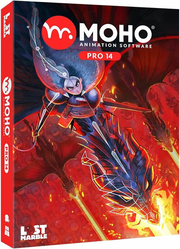
MOHO PRO 14 EDU - The all-in-one animation tool for professionals and digital artists

MOHO PRO 14 EDU - The all-in-one animation tool for professionals and digital artists

The most powerful 2D rigging systemMoho's rigging system is intuitive and fast. You can rig your own characters in minutes. Create skeletons for humans, animals or any creature or object you want to animate. Work with Forward and Inverse kinematics. Set target bones, add Pin bones for special control, animate the hierarchy, add Constraints, add automatic squash and stretch to any bone, Copy and Relatively Paste animation between different characters with similar skeletons and much more! Discover why Moho's rigging system is the "secret weapon" of many artists and animators! Smart BonesSmart bones are a revolutionary way to make your characters behave exactly in the way you want. Your characters' joints will bend with no distortions. You can also use Smart Bones as control levers to animate facial expressions, face rotations or even entire body turns! The best part is they are extremely easy to set up. Simply select the bone you want to transform into a Smart Bone, create an action for it and animate the elements in the way you want. Now every time you animate that bone, everything else will move exactly as you planned! Drawing tools optimized for animationThe unique vector system in Moho is optimized for animation and rigging, keeping the shapes consistent while they move. Moho vector tools allow you to draw directly inside the software. You can also add brushes and effects to easily obtain natural results. Everything can be animated: curvature, linewidth, exposure, curve profiles, paths, masks, gradients, opacity, point colors, Moho's flexible tools will empower you to animate any style! New Graphics Engine (New in Moho 14) Optimize your GPU utilization for enhanced performance! Moho 14 introduces an advanced graphics engine with a substantial internal upgrade. This transformation greatly refines performance and brings the canvas remarkably close to the eventual render. Experience real-time previews of effects such as Blur, Shadow, Noise, Opacity, Deep Masking, Smooth vectors, gradients, and blending modes, all while enjoying seamless interactions with the software's newly improved graphics engine. Greatly improved drawing and frame-by-frame tools (New in moho 14) Get an enhanced drawing experience alongside the introduction of the new Graphics Engine in version 14. Unleash your creativity with newfound freedom in sketching and painting. The Freehand, Blob Brush, and Eraser tools are responsive and intuitive. Quickly fill your drawings with the new Multi-Stroke Fill and Connect and Create. Moho seamlessly integrates its powerful rigging system with more traditional tools, so you can use the best of both worlds. Liquid Shapes (New in Moho 14) Create impressive 2D special FX in minutes. Liquid Shapes are a new way to draw and animate soft shapes. Combine, Subtract, Intersect, Blend and animate shapes in unique ways. Create elemental animation or use Liquid Shapes to rig simpler but more powerful and expressive characters. Liquid Shapes work in real time. Animating Fire, Smoke, Explosions and Water is more fun and easier than ever. Curvers (New in Moho 14) Moho 14 is all about fluidity, smoothness and precision! The new Curvers and Compressible Curvers allow you to bend vectors and images in any way you want. Animate tails, hair, snakes, tentacles with ease and total control. But not only that, you can also create several Curvers in one layer, Rig the Curvers with Bones and Smart Bones and even animate the Line Width of the Curver to make parts of the drawing thinner or thicker during the animation. Photoshop files import with real-time connectionCreate and modify your illustrations in your favorite software: Photoshop, Clip Studio Paint, Procreate or any application you prefer, then save your art as PSD and import it in Moho. All the layers will be there, ready to rig and animate! Automatic Mesh creation and Quad Meshes to animate exactly in the way you want! Meshes are now even more powerful and easier to use. Just draw the details you want to animate and let Moho do the rest! Also, with the new Quads, animate your artwork in true perspective by simply attaching a four points shape to it. Bringing your bitmap illustrations, pictures and vector drawings to life has never been easier! New meshes open an entire world of possibilities. New Freehand Styles (new in Moho 14) Create your own styles or quickly select between different drawing line styles such as Wet Ink, Charcoal, Gouache, Rough Ink, Watercolor and others. Using styles allows you to control the exact look of your drawings and also edit many drawings at once, with the ability of changing the Color, Line Width, Brush settings and Effects. Smart Line Boil (New in Moho 14) Get the look of traditional animation and have complete control over it! With the new Brushes' options, you can now apply line boil to any element in the animation. Define the interval of the boiling effect; at 1s, 2s, 4s or any rate you want. You can even set the value to 0 and the Smart Line Boil will happen only while the character is moving. Easier Follow Through and Overlapping with Dynamics (New in Moho 14) Give your characters, backgrounds and props life without having to animate every single detail by hand. Bone Dynamics now work on Rotation, Scale and Translation! Easily create Follow Through and Overlapping animation with total control. Make each bone react to your world's conditions by defining their Weight and Gravity. Delayed Constraints (New in Moho 14) One bone to control everything! Control Bones now have a Delay value you can use to make Control Bones move either after or ahead of the original Bone's motion. The setup offers granular control, allowing you to establish delay per bone or create a motion through the 'Delayed Constraints' script Vitruvian bonesAnimating foreshortening and complex actions is easier than ever! Inspired by Da Vinci's Vitruvian Man drawing, Vitruvian Bones are a new and powerful way to rig your characters. The intuitive V-bones system allows you to alternate different drawings and sets of bones. For instance, you can have different sets of heads, each with its own controllers. Or the same limb in different perspectives. Vitruvian bones will allow you to group and animate them on the fly just by switching from one to the next. Apply them to any part of the body or even switch entirely different bodies!! This unique approach makes it easier to have rigged characters with the appeal of traditional animation. Automate your animation with Physics, Particles, Dynamics!Quickly create complex realistic animation! Transform your scene in a gravity playground with the Physics engine, just hit play and see how the objects and characters bounce and react to each other's movement. Create rain, smoke, grass, bird flocks, crowds or anything you can imagine. The powerful Moho's Particle system allows you to mix it with all the animation tools to get exactly the result you are looking for. Add Dynamics to your characters, creating automatic Follow Through for ears, tails, antennas, clothes or anything you want to animate. Just move the character and the Dynamics will do the rest for you! Add life to your scenes with Wind dynamics!Take absolute control over the strength, direction and turbulence of wind and make your scenes come alive in minutes. Give your backgrounds and characters new life with Wind Dynamics! Take full control of your animation with the Timeline, Graph mode and multiple interpolation modesControl every detail of your animation with Moho's powerful yet easy to use Timeline. Set the interpolation mode to achieve exactly the timing you want, Smooth, Step, Easy In/Out and many more. Create cycles for any channel, Additive animation, Set intervals to animate on 2s, 3s or any frame number. Easily create natural movement with the Bounce and Elastic interpolations. Edit your animation with the Graph mode and much more! Moho's timeline is intuitive, clean and powerful! Full 3D space and cameraUse Moho's 3D workspace to place and rotate your layers in it. Then move the camera around to easily achieve a multiplane effect. Have total control on how your layers look with the option to automatically keep the visual size on the layers you move in 3D. Import 3D objects from your favorite software or create basic elements directly in Moho with the Extrusion, Inflate and Lathe options for vector layers. Lip sync toolsAnimating Lip Sync is quick and precise. Simply import the voice audio and let Moho animate the mouth for you! Or, if you are looking for more control, you can quickly create your personalized lipsync by hand with the Switch selection window. Personalize your experience with the updated Scripting Interface (New in Moho 14) Moho 14 has updated the scripting Interface to Lua 5.4.4! Write your own tools, modify the existing ones or check out what other users have created. There are hundreds of powerful tools and improvements created by the community. Make Moho work exactly the way you want! Better Timeline and frame-by-frame animation (New in Moho 14) The timeline, in Moho 14, is designed for swift access to frequently performed actions, such as Freeze Keys, Push Frames, Reset Pose, and Consolidate Channels, among others. Refining your rig has never been simpler, thanks to the introduction of the Toggle Frame Zero button. Enhanced frame-by-frame keyframes offer better control and manipulation, facilitating a seamless animation process. Additionally, the software introduces customizable shortcuts for seamless navigation between keyframes, including colored keyframes that further enhance your workflow. Greatly improved SVG import (new in Moho 14) Moho's great compatibility now is also real for vectors. The new improved SVG import allows you to import layers, gradients and masks. Design your characters, props and backgrounds in your preferred vector software, like Illustrator, CorelDraw, Affinity or Inkscape and animate them in Moho. Improvements to the interface (New in Moho 14) Moho 14 boasts many enhancements to its interface. Introducing more organized windows, values displayed in Percentages, Pixels, Frames, or Numbers, and many other improvements.

USD 276.99

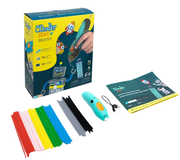
3Doodler Start+ Essentials 3D Printing Pen Set

3Doodler Start+ Essentials 3D Printing Pen Set

The 3Doodler Start+ Essentials pen set combines art and design with technology in a fun and creative way. Its easy-to-use, uncomplicated technology drives engagement and comprehension of critical STEM subjects. Young learners ages 6-13 years old will thrive when they experience what it’s like to use their hands and minds as they bring their ideas to life in 3D! The Start+ Essentials Pen Set is designed with no external hot parts. With the press of a button, plastic extrudes and hardens rapidly allowing kids to literally create anything! The pen set includes a wireless 3D Pen, all-new colors, and more strands of safe and child-friendly filament, and an activity guide with 10 hands-on projects to ensure immediate success, right out of the box! This STEAM toy instills creative confidence through its tactile tech, made for inventive, educational play, children can gather inspiration from hundreds of stencils, projects available online or via the 3Doodler Mobile App to open their minds to problem-solving in a fun, exciting way, with built-in hands-on learning opportunities.3Doodler is the proud recipient of the Toy of the Year 2017 (Rookie category), and winner of numerous awards including Good Housekeeping’s 2016 Best Toy Award, The Oppenheim Toy Portfolio Platinum Award, National Parenting Product Award, Scholastic Parent & Child GOLD STAR TOY Award, and Toy Insider STEM 10 to name a few. What's Included: 1 x 3Doodler Start+ 3D Printing Pen 1 x Micro USB-C Charging Cable 72 x 3Doodler Start Eco-Plastic Strands 1 x 3Doodler Start Activity Guide

USD 44.95

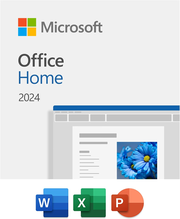
Microsoft Office Home 2024 | for 1 PC/MAC (1 Time Purchase)

Microsoft Office Home 2024 | for 1 PC/MAC (1 Time Purchase)

1 Time Purchase! Not a subscription!! Ideal for One PersonWith a one-time purchase of Microsoft Office 2024, you can create, organize, and get things done.  Classic Office AppsIncludes Word, Excel, PowerPoint and OneNote.  WordCreate and share professional-looking documents with state-of-the-art editing, reviewing, and sharing tools. The new Design tab provides quick access to features, and Smart Lookup shows relevant contextual information from the web directly inside Word. ExcelAnalyze and visualize your data in new and intuitive ways with a fresh user interface plus your favorite keyboard shortcuts. Leverage features like Analysis Toolpak, Slicers, and Formula Builder to save time, so you can focus on insights. PowerPointCreate, collaborate, and effectively present your ideas with new slide transitions and an improved Animations task pane. Threaded comments alongside your slides help you incorporate feedback into your presentations. And Presenter View displays the current slide, next slide, speaker notes, and a timer on your Mac, while projecting only the presentation to your audience on the big screen. OneNoteIt's your very own digital notebook, so you can keep notes, ideas, web pages, photos, even audio and video all in one place. Whether you're at home, in the office, or on the move, you can take it all with you wherever you go while sharing and collaborating with others. It's great for school assignments, work projects, travel plans, party planning, and more. Your Stuff. Anywhere. Anytime.Whether you're working on your Mac, iPhone, or iPad, you'll have instant access to your documents anytime, anywhere with OneDrive cloud storage. One-time purchase for 1 PC or Mac. Classic 2024 versions of Word, Excel, PowerPoint, and OneNote

USD 149.95

What thinkEDU coupons are available today?

We track so many discount codes. Read about today's thinkEDU coupon statistics.

26
thinkEDU deals available today
2
Active thinkEDU codes
3% off
Biggest discount available
Get the best thinkEDU promo codes and coupons that actually work. Our community of sustainability minded shoppers helps you save by testing and sharing:
  • Verified promo codes with live success rates from recent shoppers!
  • Exclusive single-use codes shared by our community (26 active codes).
  • Drop alerts when thinkEDU's most popular items go on sale!
  • Deals for those who want extra savings opportunities
  • Insider savings tips from experienced thinkEDU shoppers who know the best deals.

Why TerraCoupons finds better thinkEDU discounts:

  • Live success tracking: See exactly which codes are working for other shoppers right now
  • Real-time feedback: Every code attempt is tracked and ranked to show you the best options first
  • Sale predictions: Get alerted when thinkEDU's next big discount event is coming
  • Exclusive savings: reseller discounts, shopping tips and sustainability tips you won't find elsewhere
Note: Our community tests every thinkEDU promo code and shares results in real-time. Check success rates and shopping tips in the activity feed to find what works best for your purchase.
thinkEDU logo

$6 off

3 uses
medium

worked 6 months ago

Get $6 off with discount code
thinkEDU logo

$5 off

1 uses
medium

worked 6 months ago

Score $5 off with promo code on $10+ orders
thinkEDU logo

Free Shipping

62 uses
low

worked over 2 years ago

Free Shipping On Storewide (Minimum Order: $50) at thinkEDU
thinkEDU logo

Free Shipping

58 uses
low

worked over 2 years ago

Free Shipping On Iphone Accessories at thinkEDU

More thinkEDU Products

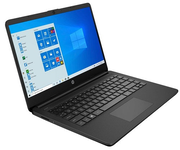
HP 14" HD Touchscreen Intel Celeron 4GB RAM 64GB eMMC Laptop with CoPilot AI & Microsoft Office 365 (4 Colors)| ON SALE

HP 14" HD Touchscreen Intel Celeron 4GB RAM 64GB eMMC Laptop with CoPilot AI & Microsoft Office 365 (4 Colors)| ON SALE

Designed to keep you productive and entertained, this HP 14 inch Laptop PC features a CoPilot key for AI assistance, long battery life and a thin and portable design. Long battery life and HP Fast Charge technology let you work, watch, and stay connected all day. The integrated precision touchpad with multi-touch support speeds up navigation and productivity. Low on Battery? No problem! Go from 0 to 50% charge in approximately 45 minutes with HP FastCharge. Now Includes Microsoft CoPilotKickstart your creativity and productivity with Microsoft Copilot. Complements your capabilities and creativity with intelligent assistance and relevant answers. And now with the Copilot key, you can access this AI-powered intelligent assistant with a single press of a button. Intel UHD GraphicsSmoothly stream 4K content and play your favorite games. Micro-Edge DisplayWith virtually no bezel encircling the display, an ultra-wide viewing experience provides for seamless multi-monitor set-ups. PC Specifications: Processor: Intel Celeron N4500 Processor 1.1GHz (Up to 2.8GHz Max Turbo) Dual-Core with 4MB Cache Memory: 4GB DDR4-2933 MHZ Storage: 64GB eMMC Flash Storage Optical Drive: None (Sold Separately) Screen Size: 14" HD (1366 x 768) Touchscreen Micro-Edge Anti-Glare Graphics: Intel UHD Graphics (Integrated) Wireless: WiFi 6 (2x2) + Bluetooth 5.4 Ports: 1 x USB 3.1 Gen 1 Type-C™ (Data Transfer Only, 5 Gb/s signaling rate); 2 x USB 3.1 Gen 1 Type-A (Data Transfer Only);1 x Headphone/Microphone Combo Camera: HP True Vision 720p HD camera with integrated dual array digital microphones Audio: Dual Speakers Keyboard: Full-size keyboard Finish: Sky Blue Operating System: Windows 11 Home in S Mode Includes a 1-Year Subscription to Microsoft Office 365 Bring your ideas to life. Your creativity now gets a boost with Microsoft 365. Office - Word, Excel, and Power Point - now includes smart assistance features that help make your writing more readable, your data clearer and your presentations more visually powerful.

USD 259.99

iPad Pencil (Compatible with iPads 2018 & later)

iPad Pencil (Compatible with iPads 2018 & later)

Compatible with: iPad - 6th/7th/8th/9th/10th Gen iPad Air - 3rd/4th/5th Gen iPad Pro (11") - 3rd/4th/5th/6th Gen iPad Pro (12.9") - 3rd/4th/5th/6th Gen iPad mini: 5th/6th Gen No Bluetooth connection required. Just tap and use! Includes charging Cable and 2 Replacement Nibs.

USD 39.95

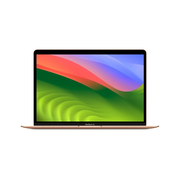
Apple MacBook Air 13.3" Laptop - M1 Chip, 8GB RAM, 256GB storage w/Office | BRAND NEW!

Apple MacBook Air 13.3" Laptop - M1 Chip, 8GB RAM, 256GB storage w/Office | BRAND NEW!

BRAND NEW!! Introducing The 13-inch MacBook Air with the Apple M1 chip is incredibly thin and light with a silent fanless design. It delivers remarkable performance and up to 18 hours of battery life. And it has a beautiful Retina display for super sharp text and vibrant colors. Amazing performance, Unbeatable price. It's a laptop you’re going to love! All-Day Battery Life: Go longer than ever with up to 18 hours of battery life. Powerful Performance: Take on everything from professional-quality editing to action-packed gaming with ease. The Apple M1 chip with an 8-core CPU delivers up to 3.5x faster performance than the previous generation while using way less power. Superfast Memory: 8GB of unified memory makes your entire system speedy and responsive. That way it can support tasks like memory-hogging multitab browsing and opening a huge graphic file quickly and easily. Stunning Display: With a 13.3 inch Retina display, images come alive with new levels of realism. Text is sharp and clear, and colors are more vibrant. 256GB Storage Fanless Design: Your MacBook Air stays cool and runs quietly even while tackling intense workloads. Simply Compatible: All your existing apps work, including Adobe Creative Cloud, Microsoft 365, and Google Drive. Plus you can use your favorite iPhone and iPad apps directly on macOS. Altogether you'll have access to the biggest collection of apps ever for Mac. All available on the App Store. Easy to Learn: If you already have an iPhone, MacBook Air feels familiar from the moment you turn it on. And it works perfectly with all your Apple devices. Use your iPad to extend the workspace of your Mac, answer texts and phone calls directly on your Mac, and more. AppleCare: Every Mac comes with a one-year limited warranty and up to 90 days of complimentary technical support. Get AppleCare plus to extend your coverage and reduce the stress and cost of unexpected repairs. Environmentally Friendly: MacBook Air is made with a 100 percent recycled aluminum enclosure and uses less energy for a smaller carbon footprint. SoftMaker Office Standard 2024 TextMaker, word processor with tremendous design options PlanMaker, spreadsheet for designing appealing worksheets Presentations, presentation software with video export SoftMaker Office Standard 2024 offers an affordable, fast, and easy-to-use alternative to Microsoft Office. It uses the Microsoft formats, such as docx, xlsx, and pptx, as its default file formats to skip the annoying import and export. It includes TextMaker 2024, PlanMaker 2024, Presentations 2024 and BasicMaker 2024. It supports Windows, macOS and Linux operating systems. Export into Adobe® PDF (Portable Document Format) directly for quick and easy online distribution or PDF/A for an archive. Users can choose between user interface with modern ribbons or classical menus in each application. YOUR NEW WORD PROCESSING SOFTWARETextMaker is fast, powerful and compatible. Just as a good word processor should be. Microsoft Word .DOCX format is a default file format of TextMaker 2024, so you can open documents and templates created with TextMaker in Microsoft Word directly and vice versa. The built-in spell checker corrects in 75 languages and the 8-language thesaurus will always help you find the right words. DESIGNING APPEALING WORKSHEETSIf you have worked with Microsoft Excel, you'll pick up PlanMaker 2024 immediately. You neither need to re-accustom yourself to new formulas nor to new calculation functions. It is all compatible. It can easily open, view, edit and save .XLS, .XLSX and .XLSM formats, as well as templates in .XLT .XLTX and .XLTM. 430+ built-in functions will help you with any task.YOUR NEW PRESENTATION SOFTWAREPresentations 2024 enables users to create high impact, dynamic presentations, multimedia slideshows, project proposals, interactive reports, movies and demonstrations. With this alternative to Microsoft PowerPoint, you can easily open, view and edit presentations (.PPT,.PPS,.PPTX,.PPSX, and .PPSM) as well as template (.POT,.POTX and POTM) files. Export in portable presentation, video, html or PDF is fast. YOUR NEW AUTOMATION SOFTWAREBasicMaker 2024 is easy to use development environment for Windows, which allow you to create, debug and run scripts, for automated processing on your documents and spreadsheets. Scripts created in BasicMaker can be executed directly in TextMaker and PlanMaker. Included graphical dialog editor can create dialog boxes which allow users to interact with their scripts and more. Licensed for 5 users / household or 1 user / organization Perpetual lifetime license for Windows, Mac and Linux Compatible with Microsoft Office DOCX, XLSX, PPTX Export in PDF and PDF/A archive Export presentation to portable slide show, HTML or PDF Transferable, can run from USB drive The built-in spell checker for 75+ languages

USD 749.95

Apple MacBook Air 13.3" Laptop - M1 Chip, 8GB RAM, 256GB storage w/Office | BRAND NEW!

Apple MacBook Air 13.3" Laptop - M1 Chip, 8GB RAM, 256GB storage w/Office | BRAND NEW!

BRAND NEW!! Introducing The 13-inch MacBook Air with the Apple M1 chip is incredibly thin and light with a silent fanless design. It delivers remarkable performance and up to 18 hours of battery life. And it has a beautiful Retina display for super sharp text and vibrant colors. Amazing performance, Unbeatable price. It's a laptop you’re going to love! All-Day Battery Life: Go longer than ever with up to 18 hours of battery life. Powerful Performance: Take on everything from professional-quality editing to action-packed gaming with ease. The Apple M1 chip with an 8-core CPU delivers up to 3.5x faster performance than the previous generation while using way less power. Superfast Memory: 8GB of unified memory makes your entire system speedy and responsive. That way it can support tasks like memory-hogging multitab browsing and opening a huge graphic file quickly and easily. Stunning Display: With a 13.3 inch Retina display, images come alive with new levels of realism. Text is sharp and clear, and colors are more vibrant. 256GB Storage Fanless Design: Your MacBook Air stays cool and runs quietly even while tackling intense workloads. Simply Compatible: All your existing apps work, including Adobe Creative Cloud, Microsoft 365, and Google Drive. Plus you can use your favorite iPhone and iPad apps directly on macOS. Altogether you'll have access to the biggest collection of apps ever for Mac. All available on the App Store. Easy to Learn: If you already have an iPhone, MacBook Air feels familiar from the moment you turn it on. And it works perfectly with all your Apple devices. Use your iPad to extend the workspace of your Mac, answer texts and phone calls directly on your Mac, and more. AppleCare: Every Mac comes with a one-year limited warranty and up to 90 days of complimentary technical support. Get AppleCare plus to extend your coverage and reduce the stress and cost of unexpected repairs. Environmentally Friendly: MacBook Air is made with a 100 percent recycled aluminum enclosure and uses less energy for a smaller carbon footprint. SoftMaker Office Standard 2024 TextMaker, word processor with tremendous design options PlanMaker, spreadsheet for designing appealing worksheets Presentations, presentation software with video export SoftMaker Office Standard 2024 offers an affordable, fast, and easy-to-use alternative to Microsoft Office. It uses the Microsoft formats, such as docx, xlsx, and pptx, as its default file formats to skip the annoying import and export. It includes TextMaker 2024, PlanMaker 2024, Presentations 2024 and BasicMaker 2024. It supports Windows, macOS and Linux operating systems. Export into Adobe® PDF (Portable Document Format) directly for quick and easy online distribution or PDF/A for an archive. Users can choose between user interface with modern ribbons or classical menus in each application. YOUR NEW WORD PROCESSING SOFTWARETextMaker is fast, powerful and compatible. Just as a good word processor should be. Microsoft Word .DOCX format is a default file format of TextMaker 2024, so you can open documents and templates created with TextMaker in Microsoft Word directly and vice versa. The built-in spell checker corrects in 75 languages and the 8-language thesaurus will always help you find the right words. DESIGNING APPEALING WORKSHEETSIf you have worked with Microsoft Excel, you'll pick up PlanMaker 2024 immediately. You neither need to re-accustom yourself to new formulas nor to new calculation functions. It is all compatible. It can easily open, view, edit and save .XLS, .XLSX and .XLSM formats, as well as templates in .XLT .XLTX and .XLTM. 430+ built-in functions will help you with any task.YOUR NEW PRESENTATION SOFTWAREPresentations 2024 enables users to create high impact, dynamic presentations, multimedia slideshows, project proposals, interactive reports, movies and demonstrations. With this alternative to Microsoft PowerPoint, you can easily open, view and edit presentations (.PPT,.PPS,.PPTX,.PPSX, and .PPSM) as well as template (.POT,.POTX and POTM) files. Export in portable presentation, video, html or PDF is fast. YOUR NEW AUTOMATION SOFTWAREBasicMaker 2024 is easy to use development environment for Windows, which allow you to create, debug and run scripts, for automated processing on your documents and spreadsheets. Scripts created in BasicMaker can be executed directly in TextMaker and PlanMaker. Included graphical dialog editor can create dialog boxes which allow users to interact with their scripts and more. Licensed for 5 users / household or 1 user / organization Perpetual lifetime license for Windows, Mac and Linux Compatible with Microsoft Office DOCX, XLSX, PPTX Export in PDF and PDF/A archive Export presentation to portable slide show, HTML or PDF Transferable, can run from USB drive The built-in spell checker for 75+ languages

USD 749.95

thinkEDU logo

Free Shipping

34 uses
low

worked 9 months ago

Free Shipping On Storewide at thinkEDU
thinkEDU logo

Free Shipping

12 uses
low

worked about 1 year ago

Free Shipping On Select Items at thinkEDU
thinkEDU logo

Free Shipping

37 uses
low

worked almost 2 years ago

Free Shipping On Storewide (Minimum Order: $50) at thinkEDU
thinkEDU logo

Free Shipping

145 uses
low

worked almost 3 years ago

Free Shipping On Software And Tech Essentials (Minimum Order: $50) at thinkEDU

Sustainability Score

45%
ThinkEdu shows limited transparency regarding their sustainability practices and ESG policies. While their digital-first approach reduces paper waste, they lack clear commitments to environmental initiatives or published sustainability goals. The company provides minimal information about their supply chain practices and labor conditions. Their focus on digital products naturally reduces environmental impact, but this appears more incidental than intentional.

About thinkEDU

4.0 (3)

FAQs

The best discounts typically appear during back-to-school seasons (July-September) and at the start of spring semester (December-January). They also offer special promotions during Black Friday and Cyber Monday.

Yes, students with valid .edu email addresses can access special academic pricing and additional discounts on most software and educational materials.

ThinkEdu offers price matching for identical products found at lower prices from authorized academic resellers within 14 days of purchase.

Yes, educational institutions and organizations can receive volume pricing discounts for bulk orders by contacting their sales team directly.

In the past month, thinkEDU has launched 0 new promo coupons for shopper discounts. This indicates that thinkEDU does not provide regular opportunities for customers to save money on their purchases.

On average, thinkEDU provides 3.5 discount coupons each month. Based on historical data, the average time between thinkEDU coupon releases every 9 days. However, this rate depends on various factors such as seasonal promotions (Black Friday, Cyber Monday, etc.), product launches, or other marketing initiatives. To stay informed about upcoming discounts and promotions, we recommend checking thinkEDU website regularly, subscribing to email newsletters, and following them on social media.

thinkEDU is offering 2 working store-wide codes, however they are also offering 24 additional discount codes with a best discount of 3% off

terra.coupons is the #1 provider of discount codes for your favorite retailers, such as thinkEDU. As a crowd-sourced platform for coupon codes, we accurate codes for over 10,000 stores. Save time and avoid expired codes by checking terra.coupons for the latest thinkEDU discount codes.

Curated by

Aleksa P.

Aleksa P.

Deal Curator

Last updated December 2025

Aleksa is a deal finder from the tech-savvy city of Austin, Texas. A keen coder by day and a discount guru by night, Aleksa checks back regularly to update you with new deals.

Latest thinkEDU coupon activity

Track real-time thinkEDU coupon activity from our community. See which codes are working right now at thinkEDU, when they were last verified, and any usage restrictions. Our feed helps you quickly find active codes and avoid expired ones.

From the blog

How to Negotiate Lower Bills on Subscriptions and Monthly Services

Effective strategies to reduce your subscription and monthly service bills through negotiation, smart planning, and leveraging available tools.

Unlock Huge Savings: Get the Best Soundboks Discount Today!

Unlock Huge Savings: Get the Best Soundboks Discount Today! Discover eco-friendly ways to save big on Soundboks speakers, find refurbished deals, and shop smartly!

The Best Time to Buy Electronics, Clothes, and More: A Year-Round Savings Calendar

Learn the best months to buy electronics, clothes, home goods, and more for maximum savings.