All Accessories for Thinker X400 3D Printer
EryoneEryone
3.0

All Accessories for Thinker X400 3D Printer

USD 16.99

Description

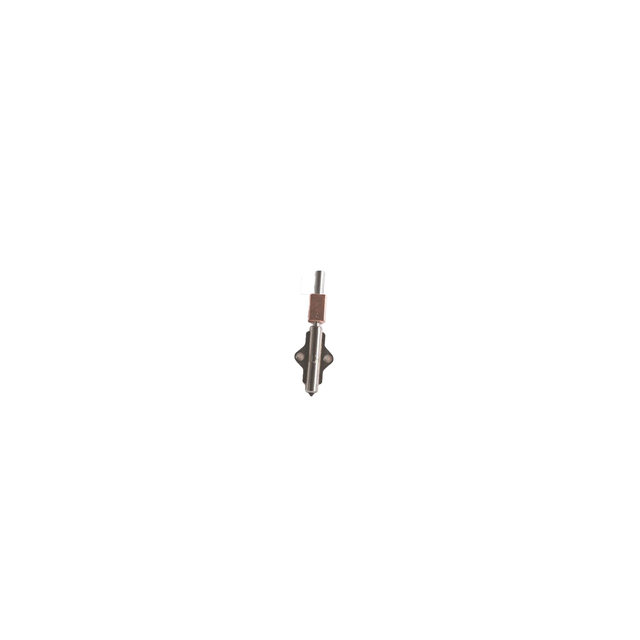
1.Thinker X400 Nozzle The Thinker X400 nozzle features a quick-release design for easy installation. Made of hardened steel, it is suitable for printing with carbon fiber, glass fiber, and glow-in-the-dark filaments. The Thinker X400 nozzle has a relatively long service life, approximately three months. 0.2mm 0.4mm 0.6mm 0.8mm 1.0mm Usage scenarios Suitable for small precision models, outstanding accuracy, worth the wait Standardized for daily use, perfect combination of speed and precision Very fast, supports high-performance filament printing, with slightly lower resolution Faster speed, supports high-performance filament printing, slightly lower resolution Ultra-fast speed, supports high-performance filament printing, with slightly reduced resolution Application areas Miniature models, fine logos, text printing, mold making Model toys, mechanical parts, decorative items Large structural parts, household functional components, industrial or engineering parts, high-strength models Large structural parts, household functional components, industrial or engineering parts, high-strength models Large structural parts, household functional components, industrial or engineering parts, high-strength models Filament type 0.2mm 0.4mm 0.6mm 0.8mm 1.0mm PLA standard √ √ √ √ √ PLA matte √ √ √ √ √ PLA silk √ √ Not recommended Not recommended Not recommended PLA marble Not recommended √ √ √ √ PLA shiny Not recommended √ √ √ √ PLA wood Not recommended √ √ √ √ Glow in the dark PLA Not recommended √ √ √ √ PLA-CF X √ √ √ √ PLA Aero X √ √ √ √ PLA-GF X √ √ √ √ Burnt Titanium PLA X √ √ √ √ PETG standard √ √ √ √ √ PETG translucent Not recommended √ √ √ √ PETG-CF X √ √ √ √ Burnt Titanium PETG X √ √ √ √ PETG-GF X √ √ √ √ ABS √ √ √ √ √ ABS-CF X √ √ √ √ ABS-GF X √ √ √ √ ASA √ √ √ √ √ ASA-CF X √ √ √ √ ASA-GF X √ √ √ √ ABS-PC √ √ √ √ √ TPU-95A X √ √ √ √ TPU-90A X √ √ √ √ TPU-85A X X √ √ √ PET-CF X √ √ √ √ PA6 X √ √ √ √ PA6-CF X √ √ √ √ PA6-GF X √ √ √ √ PA12 X √ √ √ √ PA12-CF X √ √ √ √ PA12-GF X √ √ √ √ PPS-CF X √ √ √ √ 2.Functions of each Accessories Category Accessories Name Function Possible Fault Scenarios About it 1.Nozzle 0.2mm nozzle Prints high-precision detailed models (e.g., mini parts, fine textures) to meet the need for "exquisite model details"; compatible with filaments like PLA/ABS Blurry details or broken lines during printing; uneven filament extrusion from the nozzle; failure to form small-sized features 0.4mm nozzle Universal nozzle that balances precision and printing speed; ideal for daily printing (e.g., toys, brackets); compatible with most filaments Frequent nozzle clogging during regular printing; obvious layer lines on the model surface; uneven filament output 0.6mm nozzle Improves printing efficiency (about 30% faster than 0.4mm nozzles); suitable for large-sized models without complex details (e.g., storage boxes, bases) Slow printing speed for large models (long waiting time); insufficient filament output from the nozzle; insufficient model wall thickness 0.8mm nozzle Enables fast printing of extra-thick line/thick-walled models (e.g., large display pieces, structural brackets); reduces waiting time for long models Obvious layer separation when printing thick-walled models; filament extrusion from the nozzle is too thick to match the model's designed size 1.0mm nozzle Enables ultra-fast printing of extra-large, high-strength models (e.g., industrial parts, large decorations); compatible with high-viscosity filaments (e.g., TPU) Severe nozzle clogging when printing high-viscosity filaments; low efficiency for extra-large models; insufficient model structural strength 2.Fans Heat Sink Fan Cools the nozzle heat sink to prevent "filament from melting in advance and clogging the tube due to overheated nozzle"; ensures stable filament extrusion Frequent nozzle clogging; overheated heat sink (found when disassembling); melted filament clumps above the nozzle Mainboard Fan Cools the printer mainboard to avoid "mainboard crash due to overheating"; especially suitable for long-term continuous printing (over 8 hours) Sudden black screen and unresponsiveness of the printer; frequent errors during printing (e.g., "Mainboard Overheating" alert); automatic interruption during continuous printing Exhaust Fan Removes odors from the printing chamber (e.g., pungent fumes from ABS filament) to improve the printing environment; also assists in chamber temperature control Strong lingering odors during printing; large temperature fluctuations in the chamber; severe model warping (especially for high-temperature filaments like ABS/PETG) Model Cooling Fan Rapidly cools the newly printed model layers to prevent "model softening and deformation"; improves layer adhesion (e.g., less warping for PLA models) Model edge warping and layer separation; softening and collapse of the model surface (especially when printing curved or overhanging structures) 3.Core Drive Accessories Extruder Precisely pushes filament to the nozzle and controls filament output; core component for "smooth printing" Filament feeding jams or breaks; uneven filament output (large model size deviation); no filament extrusion from the nozzle (after ruling out clogging) Mainboard "Control center" of the printer; connects all components (e.g., motor, heating module) to implement precise printing commands Printer fails to power on; motor does not rotate/heating module does not heat up; unresponsive touch screen (after ruling out screen faults) Extruder CANbus motherboard Optimizes signal transmission between the extruder and mainboard; reduces "filament feeding errors caused by signal interference"; suitable for high-speed printing (≥60mm/s) Unstable filament feeding during high-speed printing (model layer shifting); abnormal noise or jamming of the extruder motor (after ruling out motor faults) Extruder Gear Module Clamps the filament and ensures "stable feeding" to avoid "uneven extrusion due to filament slipping"; compatible with soft filaments (e.g., TPU) and hard filaments (e.g., PLA) Filament slipping during feeding (indentations on the filament but no forward movement); unstable filament output (uneven model wall thickness) Extruder Motor Provides power for the extruder gear and controls feeding speed; ensures "no feeding lag during high-speed printing" Extruder gear does not rotate (no filament feeding); uneven feeding speed (wavy lines on the model surface); harsh noise during motor operation 4. Heating & Temperature Control Category 110V-120V chamber heating module Suitable for regions with 110-120V voltage (e.g., North America); heats the printing chamber to prevent "model warping in low-temperature environments" (especially for ABS/PETG) Chamber temperature fails to reach the set value; large temperature fluctuations (over ±5℃) during heating; module does not heat (severe model warping) 220V-240V chamber heating module Suitable for regions with 220-240V voltage (e.g., China, Europe); same function as the 110V version; ensures voltage compatibility to avoid equipment damage Module does not work after power connection (may be burned due to voltage mismatch); inaccurate chamber temperature control (large model size deviation) Extruder heating module Heats the nozzle to the filament melting point (e.g., ~190-220℃ for PLA); the thermistor monitors temperature in real time to avoid "nozzle damage due to overheating" Nozzle temperature fails to reach the set value (cannot melt filament); temperature runaway (continuous heating or sudden cooling); "Temperature Sensor Fault" alert 5. Auxiliary Adaptation Category Weighing Sensor It is used to detect the distance between the nozzle and the heatbed enabling the printer to compensate for an uneven printing surface. Silicone sleeves *5 Wraps the heating block/nozzle to reduce "heat loss" (saves ~10% energy) and prevents accidental burns from touching hot parts Slow heating of the heating module (high energy consumption); accidental burns from touching hot parts of the printer; large temperature fluctuations (unstable model printing) PEI Double-Sided Textured Sheet Core component of the printing platform; textured surface (two sides optional) improves model adhesion ("solution to model non-adhesion issues"); easy model removal Model fails to adhere to the platform (falls off during printing); model breaks when removing (excessive adhesion); model warping after platform surface wear Filter Filters impurities (e.g., dust, particles) in the filament to avoid "nozzle clogging by impurities" and extend nozzle lifespan Frequent nozzle clogging (foreign objects found when disassembling); bubbles or impurity spots on the printed model; filament feeding jams (after ruling out other faults) Screen Displays printing parameters (e.g., temperature, speed) and operation interface; enables "real-time printing status monitoring" without connecting to a computer Screen blackout (no display); unresponsive touch function (cannot operate); garbled display (unclear parameters) 6. Smart Monitoring Filament Runout Detection Module Monitors in real time for filament breakage/runout; pauses printing immediately if runout occurs to avoid "wasting time and filament on empty printing" Printer continues empty printing after filament breakage; frequent false "Filament Runout" alerts (filament is normal); no pause after runout (model scrapping) Camera module Enables remote real-time viewing of printing progress (requires APP connection); avoids "undetected printing faults (e.g., warping, filament breakage)" No remote image (or blurry image); failed APP connection to the camera; incorrect camera angle (cannot see key parts of the model)

Try this code on All Accessories for Thinker X400 3D Printer

You could save on Eryone All Accessories for Thinker X400 3D Printer with a Eryone promo code:

    Eryone logo

    10% off

    13 uses
    high

    worked 6 months ago

    10% Off Storewide at Eryone
View all Eryone coupons and promo codes

More Eryone Products

ERYONE Matte PLA Filament, 1.75mm Filament for 3D Printer, 1KG(2.2LBS)/ Spool,

ERYONE Matte PLA Filament, 1.75mm Filament for 3D Printer, 1KG(2.2LBS)/ Spool,

Matte PLA review by  Parliamo di MakerMatte PLA review by INOV3DFeature:The surface of the print has a matte (matte) effect, which is suitable for printing artwork.Specifications:Filament Diameter: 1.75mmTolerance: ±0.03mmPrinting Temperature: 190°C-220°CHeated Bed Temperature: 55-70°CPrinting Speed: 30-100mm/sShowcase: FAQ 1.Q: Why my filament tangles? How can I solve it?A: The tangle of filament isn’t caused by the disordered or the imperfect winding. According to the production technology of filament, the filament winds back and forth (from left to right and then from right to left). Normally, there is no overline tangle. A common cause of tangle is that the filament end is not fixed to the holes of spool. Overline tangle or the changed winding direction make filament tangle. So customers need to fix the filament end to the proper holes of the spool.2.Q: Can PLA be used to print tableware?A: Not recommended. Although PLA is degradable, food-grade raw material, the PLA with toner is non-food grade.3.Q: The nozzle is clogged by PLA, and how can I solve it?  A: Inconstant filament diameter, the lower nozzle temperature and frequent replacement with different kinds of filaments will lead to this problem. So, before you get started, clean the nozzle and turn up the temperature to a proper value.4.Q: My prints have web-like strings (stringing) issues. How can I troubleshoot it?  A: Too high temperature makes the PLA filament melt and flow so fast. Please turn the temperature down to a proper value.  The retracting parameters are improper, so adjust the retracting length and speed.  5.Q: There are too much melted filament around the nozzle. What should I do?  A: This problem can be attributed to over-high temperature, low printing speed, and in the slice software, the nozzle diameter doesn’t match with the extrusion output.6.Q: The PLA filament was perfect when I opened the package. After several times of intermittent printing, my PLA filament snaps by accident during printing. Why?A: Normally, the PLA filament in the printing process will not snap by themselves. However, after being affected by moisture, the degradable material PLA will be more brittle and easier to break, so you should pay attention to dampproof.7.Q: The surface of my print isn’t very smooth, and the extruded filament has inconstant diameters. Why?  A: The printing temperature is too high or too low. The temperature doesn’t match well with the printing speed. You need to adjust the printing speed or temperature.8.Q: Why my PLA-printed objects don't stick to the heated bed? How do I solve?A: The distance between the nozzle and the bed is too far. Make sure your heated bed is leveled and it’s clean. Then judge if the printing temperature and heated bed temperature are too low, and our customers should adjust them to correct ranges.

USD 32.99

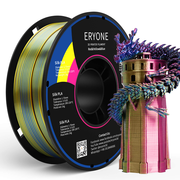
ERYONE Triple-Color Silk PLA Filament for 3D Printers,1kg (2.2LBS)/Spool 1.75mm,Accuracy +/- 0.03 mm

ERYONE Triple-Color Silk PLA Filament for 3D Printers,1kg (2.2LBS)/Spool 1.75mm,Accuracy +/- 0.03 mm

USD 37.99

PLA Filament - 1.75mm±0.03mm (1kg)

PLA Filament - 1.75mm±0.03mm (1kg)

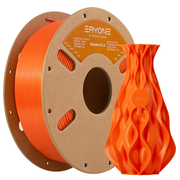
ERYONE PLA Filament has the advantages of easy printing, low shrinkage, and excellent layer bonding.Applicable to 99% of 3D FDM printers on the market, friendly to beginners.High purity raw materials, corn. Technical SpecificationPrint Any Model You Want with ERYONE PLA Filament.Material: PLALength:340mDiameter: 1.75mm±0.03mmPrint Temperature: 190-220℃Heated Bed Temperature: 55-70°CRecommended Printing Temperature: 210-220℃Recommended Print Speed: 30-100mNeat WindingThe PLA threads are arranged neatly, without the risk of knotting that making printing more comfortable.Premium QualityMaterial wire diameter 1.75mm±0.03mm, ensure smooth output line, vacuum packaging without bubbles, does not block nozzle, make the printing more smooth.Good AdhesionExcellent first layer adhesion to reduce warpage, shrinkage, curl and print failure.Good Layer BondingGood layer bonding strength makes the printing parts stronger. The printed model has a smooth surface. The Difference between White&Gray&BlackShowcase:FAQ     1.Q: Can PLA be used to print tableware?A: Not recommended. Although PLA is degradable, food-grade raw material, the PLA with toner is non-food grade. If you really want to print a set of tableware, transparent PLA is suggested.2.Q: The nozzle is clogged by PLA, and how can I solve it?  A:  Inconstant filament diameter, the lower nozzle temperature and frequent replacement with different kinds of filaments will lead to this problem. So, before you get started, clean the nozzle and turn up the temperature to a proper value.3.Q: My prints have web-like strings (stringing) issues. How can I troubleshoot it?  A: Too high temperature makes the PLA filament melt and flow so fast. Please turn the temperature down to a proper value.        The retracting parameters are improper, so adjust the retracting length and speed.  4.Q: There are too much melted filament around the nozzle. What should I do?  A: This problem can be attributed to over-high temperature, low printing speed, and in the slice software, the nozzle diameter doesn’t match with the extrusion output.5.Q: The PLA filament was perfect when I opened the package. After several times of intermittent printing, my PLA filament snaps by accident during printing. Why?A: Normally, the PLA filament in the printing process will not snap by themselves. However, after being affected by moisture, the degradable material PLA will be more brittle and easier to break, so you should pay attention to dampproof.6.Q: The surface of my print isn’t very smooth, and the extruded filament has inconstant diameters. Why?  A: The printing temperature is too high or too low. The temperature doesn’t match well with the printing speed. You need to adjust the printing speed or temperature.7.Q: Why my PLA-printed objects don't stick to the heated bed? How do I solve?A: The distance between the nozzle and the bed is too far. Make sure your heated bed is leveled and it’s clean. Then judge if the printing temperature and heated bed temperature are too low, and our customers should adjust them to correct ranges.

USD 27.99

(Bundle Sale)PLA Silk Triple-Color Filament ,1kg  (MOQ:10 Rolls,Mixable )

(Bundle Sale)PLA Silk Triple-Color Filament ,1kg (MOQ:10 Rolls,Mixable )

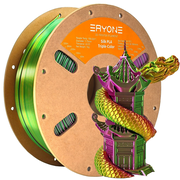
Are you be hesitated because of high price for 1kg spool? WE offer samples with lowest budget that you can try aewsome filaments! ERYONE High speed Triple-Color Silk PLA IS COMING!   Why choose ERYONE for your 3D Printing Needs? ERYONE focus on 3d printing filament research and development over 6 years! We have Much more experience of 3d printing filament so that offer best products and services.Our products cover almost all types of filament.Such as PLA filaments: PLA;PLA+;Matte PLA;Silk PLA;Ultra Silk PLA;Galaxy PLA;Rainbow PLA;Glow in the dark PLA;Carbon fiber PLA;Scented PLA;Wood PLA;Marble PLA. PETG Filaments: PETG;Galaxy PETG;Carbon fiber PETG. TPU Filaments: TPU;Rainbow TPU. ABS;ASA;Nylon etc. Of course we will keep to update and release new all the way!   Triple-Color PLA Features : 3 independent colors in one strand of filament Silky, Glossy and Gorgeous 3 color change effect on 3 sides of prints offers you stunning visual enjoyment High Dimensional Accuracy: 1.75mm, tolerance +/-0.03mm. Neatly Winding, High Quality, No bubble or dust with vacuum storage bags inside Compatible with most commonly used 3d printers Technical Specification : Filament Diameter: 1.75mm Tolerance: ±0.03mm Printing Temperature:190°C-220°C Heated Bed Temperature: 60-70℃  Printing Speed:30-100mm/s  Part I:Suggests Printing Parameters Parameter Set up Nozzle temperature 190℃-220℃ Bed temperature 55-70℃ Bed materia glass, PEI, spring steel plate Bottom printing temperature 190℃-220℃ Sealed printing supports open printing, and the sealing effect isbetter if it is sealed Printing speed 30-100mm/s Drying conditions 55℃,8H   Part II:Physical Properties of Materials Property Testing Method Unit Typical Value Density(g/cm³ at 21.5 ° C) ASTM D792 (ISO 1183, GB/T 1033) g/cm³ 1.32 Vicat Softening Temperature(° C) ASTM D1525 (ISO 306 GB/T 1633) ℃ 56 Heat distortion temperature(° C) ASTM D648 1.8MPa 0.45MPa ℃ 53 Glass transition temperature (° C) DSC, 10 ° C/min ℃ 63 Melt Index(g/10 min) 220 ° C, 10kg 240 ° C, 2.16 kg g/10min 20.5±1.5   Part III:Mechanical Properties of Printed Samples Property Test conditions Test standards unit Typical Value Tensile strength X-Y 50mm/min GB/T 1040.4 MPa 49.8 Elastic modulus X-Y 50mm/min GB/T 1040.1-2006 MPa 1724.9 Elongation at break X-Y 50mm/min GB/T 1040.4 % 1.7 Tensile strength X-Z 50mm/min GB/T 1843 MPa 11 Elastic modulus X-Z 50mm/min GB/T 1040.1-2006 MPa 1653.5 Elongation at break X-Z 50mm/min GB/T 1040.4 % 1.1 Bending strength 2mm/min GB/T 9341 MPa 66.7 Bending modulus 2mm/min GB/T 9341 MPa 2315.5 Charpy Impact strenght 2.75J GB/T 1043.1-2008 kJ/m2 7.5     Warmly Note : - If the consumables are not used for a long time, please keep them in a cool (temperature lower than 32℃) and dry environment (humidity lower than 40%) in time. - Use a soft cloth to clean the nozzles before and after printing to avoid residual consumables from affecting the printer. - If there is a problem of material blocking, please check whether the feeder spring is too loose to cause the filament to slip, and too tight to cause the filament to be damaged by the gear. - The interlayer adhesion of silk consumables is weak. If the printed product is relatively thin, it will be easily torn laterally after being stressed. The hygroscopicity of silk consumables is stronger than that of standard PLA, so attention should be paid to sealing and drying. - The Triple-Color pla cross is more obvious, the reasons as below: Winding, here is a small roll of consumables, and its winding is not uniform, which is also an important reason for the three-color cross. The more colors of the same section, the smaller the proportion of each color, so the probability of color crossing will be greater. Summer Sale: Save 55% on Tri-Color and Dual-Color filaments! Use code 'MultiColorSale'.

USD 18.00

You May Also Like

Two-Cup Travel Teapot Set

Two-Cup Travel Teapot Set

Two-Cup Travel Teapot Set This two-cup and teapot combo packs light for travel and looks beautiful on a desk at home or at work. The set features: One teapot, complete with lid and built-in filter; Two nicely-sized cups that fit snug on top and bottom of the pot; Carrying case for travel and storage; Circular wooden button-style handles; Small rectangular tea towel. When I worked in Beijing at the Nature Conservancy, I saw a lot of office workers would keep a cup-pot combo on hand so they could brew great tea without cluttering up their work space. Needless to say, I got one myself too. It’s a great fit for: Home-office tea-making; Picnic/travel tea-making; Tea friends with less space for storing tea equipment; Tea Party Size? This set is best for personal use or with one partner (1-2 people).   @yourteaguy Would you the cup pot combo? #tea #teatime #celtics #basketball #teapot #happytime #jessesteahouse ♬ Pieces (Solo Piano Version) - Danilo Stankovic       Save on tea with this teapot! Purchase the pot and sampler combo from the drop-down menu above to save $5 on a tea sampler! Jesse’s Review: This cup-pot combo is straight-up a great way to make tea. It’s very practical and yet the results are still top-tier. If you don’t have the space, time, or energy for a full Gongfu-style tea set, this is for you. I keep one of these on my desk at home in case I need to really get work done and can’t do the whole tea ceremony, and I also have a second set just for traveling and taking to friends’ houses. One note - because this set doesn’t come with a pitcher, you need to be sure to only add as much water as you need to drink your next cup. Otherwise, you will be left with extra tea inside the pot which keeps over-steeping. Don’t Forget Your Tea Pets! It’s not gongfu tea time without a tea pet! Check out the tea pets and add one to your order!   Jesse's Quality Guarantee! When I started this shop, I wanted to find a way to take care of tea friends in a way normal online shops wouldn't.   That's why I will replace any defective items for free. Simply contact teafriendsupport@jessesteahouse.com if you have issues.   I also highly recommend buying shipping insurance with your order - for a few dollars, we will cover any breakages, losses, and package theft 100%!   I take care of my tea friends! I hope you will keep coming back!

USD 40.00

Jesse's Teahouse
Jesse's Teahouse